The University of Mississippi
IT Home
IT Helpdesk
SAP Support
Faculty Technology Development Center
IT Labs
IT Multimedia
IT Self Service
Mississippi Center for Supercomputing Research
Quick Links:
FTDC Home
Teaching Lab Calendars
Blackboard
myOleMiss
Instructional Technology
Standing Committee
TACIT
Classroom Technology
Test Scanning Facilities
UM Screen Saver
E-mail Information
Virus News

Tech News

  FTDC FTDC
 
Overview | Assistance | Software | Resources | Contact Us

Galtney Center
for Academic Computing

Weir Hall
915-7918
ftdc@olemiss.edu
Hours 8:00 - 5:00
Monday - Friday

Online Forms:


Departmental Software Request Form


Teaching Lab Reservation Form

UM Screensaver


Faculty Test Scanning

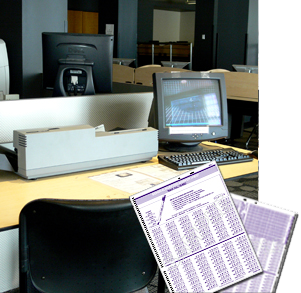
The FTDC provides assistance in grading tests using an OpScan Test Scanner. The scanner is located in the public computer lab in Weir Hall (Room 115). Our scanner uses NCS General Purpose Answer Sheets Form No. 16485 (the Purple form) and may be used for faculty test scoring, surveys, Myers Briggs tests, etc. The hours of operation for the scanner are from 8:00 am to 5:00 pm on Monday through Friday. If you need assistance using the scanner, please stop by the FTDC in room 101, and we will be happy to help you.
 

Scanning Instructions

A scanning tutorial is available as a pdf file by clicking here.


  olemissimg   Comments | Text Only Version | Web Validation
Last Modified: Thursday, 15-Jun-2006 16:08:10 CDT
Maintained by FTDC
Copyright © 2008 The University of Mississippi.
  umcreed